分类
English 原创作品 技术 视觉主题

泡面管家Android 2.0版发布 – Instant Noodles Master for Android 2.0 Released

界面清新、操作便捷,专为泡面优化的一键计时器
One-Tap-Timer for Instant Noodles, refreshing design, convenient to use.

此版本中的新功能:
Recent changes:

全新《泡面管家》,将成为你最称心的泡面计时器。
Brand new NoodlesMaster, now is your best timer app for cooking instant noodles.

  • 预定义多组泡面时间,更提供了便于操作的小部件(Widget),以及到时提醒功能。
    Predefined durations, convenient widgets, on-time notifications.
  • 全新扁平化设计(flat design),风格贴近安卓4.0+的Halo主题。
    New flat design based on Android 4.0+ Halo theme.
  • 仍然支持Android 1.6+的老设备。
    Still supporting Android 1.6+.
  • 移除了旧版本中会干扰用户使用的无关功能。
    Removed confusing features.
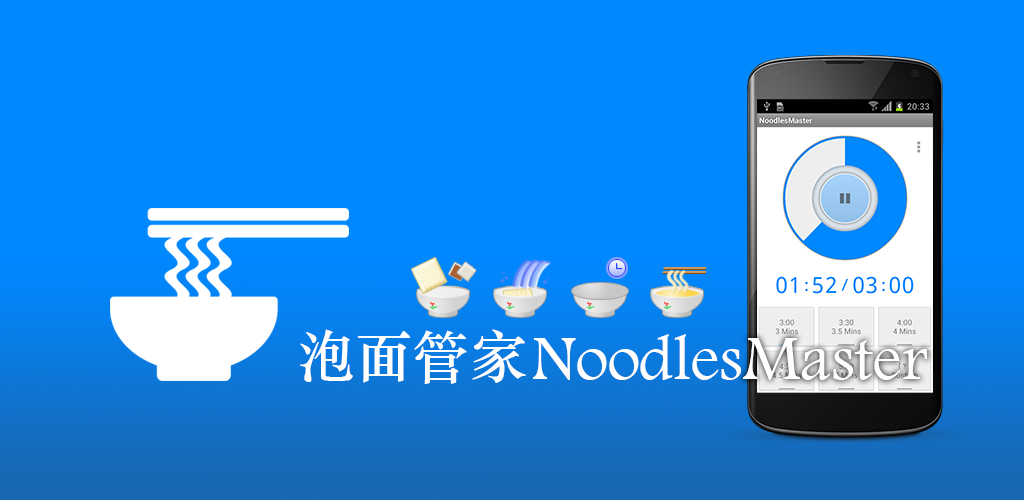
 

《泡面管家》(NoodlesMaster)是一款面向泡面(方便面、速食面、即食面)爱好者的小工具。
Instant Noodles Master (i.e. NoodlesMaster) is a small tool for instant noodles funs.

主要功能:
Features:

  • 泡面计时
    Timer for instant noodles

新版中强化了泡面计时器的功能,力求成为最便捷的泡面计时器。
The new version of NoodlesMaster focuses on the timer feature for instant noodles, aims to be your best mate when cooking instant noodles.
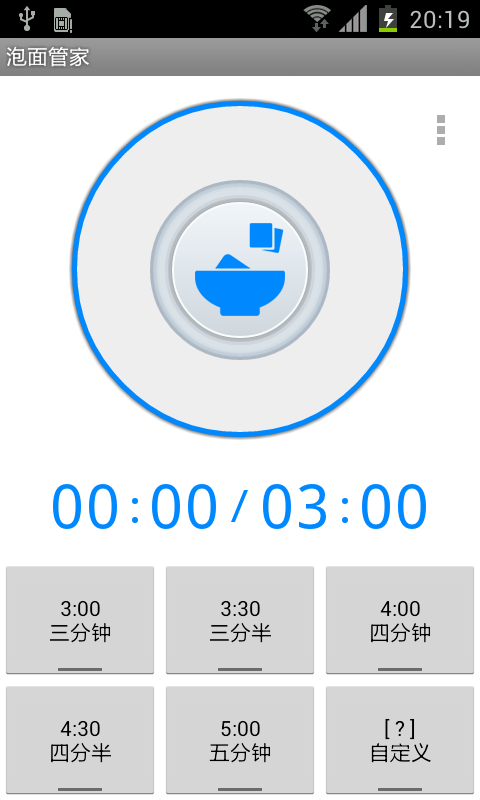
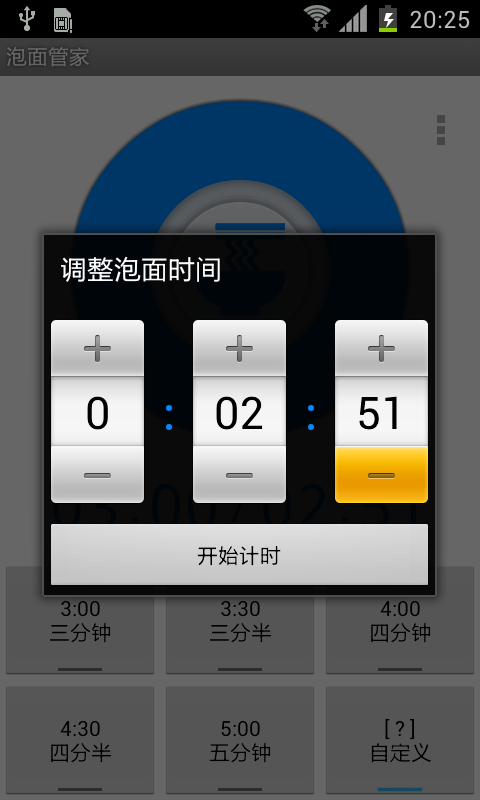
用户可以点击主界面底部任一按钮开始计时,《泡面管家》会在到达指定时限时提示用户。上部圆形计时表盘在计时过程中,点击正中间的按钮会停止计时。用户也可以向手机主屏添加快捷启动计时的小部件。
A user may tap any button at the bottom of the main interface to kick off the timer, NoodlesMaster will notify user when timer completes. During timer runs, user may tap the stop button in the center of the top ring to cancel the timer. User may also add shortcut widgets onto home screen, which can start the timer by only one tap.
官方网站Official Website:http://n.evis.me

官方微博Official Weibo:http://weibo.com/noodlesmaster

欢迎您提出宝贵意见,bug或新功能建议请在官方网站/微博留言。
Any bugs or new feature requests, please feel free to reach me at above official website, or submit to: http://code.google.com/p/noodlesmaster/issues/list

关键词:泡面, 方便面, 速食面, 即食面, 杯面, 计时, 定时, 秒表, 倒计时
Keywords: instant noodles, fast noodles, cup noodles, 3 minutes noodles, instant ramen, timer, timing, timekeeping.

App开发路线图,即将来版本中可能加入的功能,欢迎投票:
Road map, please vote for your most interested:

  • 泡面产品大全/新品推介
    Instant noodles product list / new product promotion
  • 泡面条码识别
    Instant noodles barcode recognition
  • 泡面向导
    Wizard of cooking instant noodles
  • 泡面评分/评论
    Rating / commenting
  • 泡面统计/健康饮食提醒
    Statistics / healthy diet prompt
  • 个人泡面活动与社交网络如微博/微信/人人整合
    Integration with SNS

从谷歌Play市场安装:
Install from Google Play:

Get it on Google Play

或本地下载:
Or download the APK:

[wpdm_file id=1]

前一版本介绍:
Previous version:

Android手机应用程序《泡面管家》测试版发布 – Instant Noodles Master app for Android beta released

分类
原创作品 技术

基于iFrame的异步文件上传

产品中要实现一个向导式的表单页面,第一步,用户可以上传图片,且能在不刷新页面的情况下看到所上传图片的预览,第二步,用户填写完成其余表单项,提交表单时该图片会一起被提交。不依赖Flash或HTML5。

一开始的方案是用Javascript来做本地的预览,这一方案依赖于如下JS API:

files.item(0).getAsDataURL();

而这一API在FireFox7以后就不被支持了(兼容方案在这里: http://blog.csdn.net/teresa502/article/details/7241776 ),IE更是悲剧。做兼容代码在紧张的项目计划下显得成本有些高,所以很干脆的放弃了基于纯浏览器端的思路。

基于iFrame这样的老技术,配合服务器端也可以实现这一功能。

表单一:

<form action="/upload/image" method="post" 
        enctype="multipart/form-data" target="imageFrame">
    <input type="file" name="image" onchange="this.form.submit();" />
    <iframe width="0" height="0" id="imageFrame" name="imageFrame" 
        frameborder="0" scrolling="no"></iframe>
    <img id="thumbnail" src="" />
</form>

浏览选中图片后提交这一表单,会自动将图片提交到/upload/image服务,注意提交目标是一个用户不可见的iFrame,所以表单页面不会被刷新。

服务器端代码处理上传文件,为文件生成一个散列的文件名,将文件保存至磁盘,或是保存至缓存中(需注意多用户的情况),成功则返回一段JSON:

{
    "status" : "success",
    "filename" : "uploaded/image/20130402xxx.png"
}

注意上述JSON响应如果mimetype设为application/json,IE会很高兴的提示用户下载文件…… 所以改成了text/plain。注:一般而言,返回的纯文本文本内容text/plain比text/html要安全。

下边这段代码监听了iFrame的onload事件,

$("#imageFrame").load(function() {
    var uploadResultJson = $(this).contents().find("*").first().text();
    var uploadResult = $.parseJSON(uploadResultJson);
    if (uploadResult && uploadResult.status == "SUCCESS") {
        $("#thumbnail").attr("src", uploadResult.filename);
    }
});

这里jQuery的contents()方法返回的是包装过的iframe.contentWindow.document,浏览器显示text/plain时是把内容包到自己的HTMLDocument DOM中。不去关心这一DOM结构如何,直接使用find(“*”).first().text()就把文本拿出来了。把JSON里的filename字段赋值给预览的<img />,即可完成预览。注意:这里的代码并没有处理上传失败的各种情况。

表单二:

<form action="/service/xxx" method="post">
    ......
    <input type="hidden" name="imageFilename" />
    ......
</form>

这个表单额外提供了一个隐藏域,在imageFrame的onload监听方法里个这个字段赋值,即可将上传图片路径随该表单一起提交。

至此基本功能已经实现。

事后又进一步研究了一下纯浏览器端的方案,SO上有这一条问答《HTML input type=file, get the image before submitting the form》:http://stackoverflow.com/questions/5802580/html-input-type-file-get-the-image-before-submitting-the-form ,里边推荐了一个GitHub的开源项目《jQuery File Upload》: http://blueimp.github.com/jQuery-File-Upload/ ,功能很全,也经过了完整的多浏览器兼容性测试,并不是所有的功能都可以被各种浏览器支持: https://github.com/blueimp/jQuery-File-Upload/wiki/Browser-support ,看起来现代浏览器们对HTML和新JS API支持的碎片化问题还是比较严重的。

最后还是要赞一下jQuery:有了jQuery,Javascript才能如此优雅。